Linux you fight a bit when setting it up and then its like clockwork. With windows it’s easy to setup, but then it starts doing weird shit you never asked for and and undoes your changes making more work forever.
My brother in Christ, what are you talking about? Do you not install any software whatsoever? Do you not have a need to update it? Or maybe all your hardware works out of the box 100% of time? My setup full amd, pretty fresh (am5 + rdna3), but it still a gamble each time I’m launching new game on steam. Will it work out of the box? Will proton-cachyos just bork itself (happened week ago, still not sure what caused it, maybe mangohud)? Will my whole desktop just crash cause of bug in driver that specific to one extension in vulkan? Or maybe I simply won’t be able to see my desktop at all cause amd with LG tv is a bad combination? It’s a shitshow.
It doesn’t, it updates package if you agreed to update. It looks like you misunderstand what I said. I meant that any update can bring issues, it’s not “I installed and it works forever”
Yeah, it was way less friction than I was expecting. It went smoother than some windows updates do (specifically the ones where they just reset settings to their shitty defaults).
I dunno, maybe I’ve just had good luck when it comes to hardware compatibility, but networking has always just worked for me. Along with audio and pretty much everything else.
Getting the apps you want installed is the same thing you’d have to go through with a fresh Windows install too. And I think Linux package management is way easier once you do the initial install. So I would argue that Linux is actually better in that regard.
No. Network connectivity just works unless you have some really esoteric hardware. I just installed a USB wifi ax 5400, total overkill for my telco router. CachyOS just took it in stride. Most apps, including many Window apps install painlessly. The moment Linux sees an .exe, it launches wine and installs the app.
Right now it’s mostly “just works” most people use office and internet apps anyway.
I had to plug in ethernet to the wifi drivers updated. Map a nas drive with the correct invocation in /etc/fstab. Getting camilladsp to work in multichannel 5.1 setup, getting my fricken nvidia drivers working, getting star citizen to work (still doesn’t), getting roon to work in bottles, adding the right repos even for various software.
Linux has come a long way. It is mostly consumer grade now, but still has some refinement.
I have many. 4 Rpi4 with PiOS, Riopeee, Moode, an HTPC with mint, a laptop with mint, a gaming PC with Bazite, another laptop with arch and an old PC with Debian stable.
Mint is wonderful though I am considering switching back to a system with GNOME instead of Cinnamon because the screen reader works better under GNOME.
I am thinking about giving NixOS another shot or at least going with an immutable system, but Mint is a great place to start your Linux journey, and hell, it’s a great place to end your Linux journey if you don’t give a shit about computers and just want the damn thing to work reliably.
I spent about 2 months on mint with cinnamon, switched to cachy with plasma on my main desktop a few weeks ago and honestly it’s been working a lot better. Still have to poke a few things but overall I’ve got everything I’m regularly using going fine now.
Yeah, that’s the thing - I remember installing Slackware 1.0 from floppies back in the day.
These days, I’ve had my enthusiasm for technology crushed out if me, and I just want to get stuff done with as little “computer” in the way as possible
That hasn’t happened for me, but it has shifted from desktop to mobile for me, because, for me, desktop Linux is just about fucking perfect, and I see no need to change it. But, I do very much enjoy playing around with different things like lineage OS, and possibly post-market OS on phones.
I’d say my phone is my primary computing device so it’s what I like to mess with and the laptop is just a system that I need to work whenever I pick it up and therefore it gets Linux installed on it and doesn’t get many changes.
I would say my laptop is more like an appliance similar to my toaster. When I turn on my toaster, I expect it to work. And it’s the same thing with my laptop for the little bit that I need it. And my phone is the device that I mess with, primarily.
I do my banking on my web browser, and when my previous bank tried to force me to use their app, that’s why they are my previous bank and not my current bank, because I told them they could go fuck themselves.
I refuse to put their proprietary spyware app on my device.
I refuse to even have a proprietary app store on my device. More or less install your proprietary app.
As someone who just installed bazzite today and fucked around with Mint a couple months ago this is very much true. Kinda reminds me of bashing Windows 98 into doing what I wanted.
There’s no struggle free OS, every OS has operations and processes that will need more detailed investigation, and hence read as “fighting with the operating system”.
No design is intuitive to everyone, all the time, and in all situations. I’m sure Linux is fine, but let’s be real, you know what I mean.
I’m glad that Linux is more intuitive to you than Windows. Good job finding it, and setting it all up 👍
Honestly, a lot of desktop environments are designed to feel very similar to Windows. I tried Mint on a laptop and started liking it right away. The setup was put it on a flash drive, and run the installer. It took 20 minutes to nuke Windows.
My OS struggles come from trying to get windows-specific DAWs and CAD Software to work, which will hopefully come around as more people switch to Linux. I have some alternatives that I’m playing with right now.
The part that takes energy and effort is making the switch.
I’m really familiar with Linux. I’ve been using it on and off since the days of Slackware. My work computer was Linux-only for several years.
But, even with that, it took weird driver issues with my GPU, combined with the impending death of Windows 10, combined with the ridiculous heavy handed Copilot BS on Windows to finally convince me to switch my main desktop PC to Linux.
It was just the momentum that was so hard to overcome. I knew what worked in Windows, and I knew what didn’t. I had already found and installed all the programs I needed. My settings were all how I liked them. I knew the keyboard shortcuts. With Linux I didn’t know what would work or what wouldn’t. With Linux, there were a lot of things I’d need to install and set up, and I knew that was going to take some effort. But, worst were the unknown unknowns. I didn’t know what was going to cause me problems, and didn’t know if they were things I could resolve in a couple of hours or if they’d take weeks.
I’m glad I made the switch, and the overall maintenance load is much lower than it was in Windows. The frustration factor is 10x better. But, I did have to make a real effort to make the switch. There were a few weeks where it was pretty frustrating.
Fyi, Reaper and Bitwig both have excellent, native Linux support. If you’re willing to re-learn a DAW, both of those are great choices. Reaper is by far the best mixing & mastering DAW out there, IMHO. Bitwig is great for composition and has awesome, intuitive modulation features, as well as great stock plugins and MPE support.
This is my plan. Going to do my first Linux install on my old laptop to learn and then go full Linux once I feel I’ve got a good idea of what I’m doing.
Can’t risk screwing it up as I’m self employed and need everything to work
Most of us (normal people) are on Windows 11 and happy with it. The majority of those that aren’t are holding out due to the hardware requirements. -Shock to conspiracy theorists.
You won’t do this on corporate machines, but converting a Win install into an IoT release and generating a key for it is like a couple of clicks and a reboot.
But, but - the way massgrave is still accessible and not fought against makes you think Microsoft wants the fluctuating users to keep on using their products and ecosystem even if they don’t pay the initial sticker price.
So if it’s at least slightly feasible for your workflow, it’s always better to switch and leave M$ behind.
P.S. I can be wrong, but IoT right now doesn’t shield oneself from installing copilot and other garbage, making this edition not better than others, you still need to debloat it.
P.S. I can be wrong, but IoT right now doesn’t shield oneself from installing copilot and other garbage, making this edition not better than others, you still need to debloat it.
a full year in here, with regular security updates. 11iot is still unmolested by microsoft shenanigans. nothing installed on it i didn’t put on myself, or didn’t come with the stripped-down windows, which isn’t much at all. there’s no store, so all the store-delivered shit is absent.
After using Bazzite, I’m convinced that image based distros are the future for end users. Need to install an app? Flatpak. Need to install command line? Homebrew.
It all installs in user space. And Flatpak at least uses an effective sandbox system.
Distros that maintain their own package spaces are duplicating a. lot. of work.
The downside of Flatpak is the disk space usage. But that doesn’t matter as much to me as it used to.
I can chime in for Bazzite. It’s imperfect, but I’ve blown up my fair share of aliens and they make playing your games on Linux really easy compared to anything else I’ve used. I can even stream the game from my desktop to a laptop in my bedroom via sunshine/moonlight which Bazzite helps you install as SteamLink doesn’t play nice with Bazzite.
Upvote for Bazzite - the caveat being how much support the distro gets and how long it lives. That said it turned a truly piece of crap all in one hp to something that was fun in about 30 minutes. it’s a good gaming OS but I wouldn’t use it as my daily driver.
Both bazzite and CachyOS are built for computers and will likely work better for a laptop than SteamOS. And they both have gaming focused builds. I haven’t tried Bazzite in a while, but CachyOS has easy to understand instructions on how to install their gaming package.
I daily-drive Bazzite on multiple machines. It’s excellent, even on machines I rarely use for games.
If you use the console version of Bazzite (which I use on a HTPC), it runs Steam in console mode on boot. I assume that’s what SteamOS does, it seems like they designed that mode to feel identical to using SteamOS on a SteamDeck. That makes it easy to launch games etc. without needing a keyboard and mouse. Then you can go to desktop mode when you need it.
The desktop version of Bazzite is just a Linux desktop that starts Steam on boot so that it’s running in the background. It has some gaming-related things installed but if you want to use it as a machine to write software it’s basically ready to go.
Can confirm Bazzite is incredibly easy to install, and all my steam games work without any tweaking at all so far except Tropico 6. And I haven’t even tried to fix that.
(Windows was being a dick fuck, and life means I don’t have brainspace right now to fuck around with my laptop, so no-tweaking was the goal. Bazzite has delivered that.)
I’ve been using Linux since it was a diskette install (Slackware). I’ve used all main Linux flavors over the years, and for the last few years I’ve lived in Mint, because lazy. I’m now on CachyOS. It fucking rocks. Like wow level.
I started with Ubuntu version 10.10 and currently my computer runs Linux Mint Debian 7.
Though I am seriously considering giving NixOS another spin. I gave it a try once, and it didn’t quite work for me, but I think I might try it again. I am getting pretty convinced that immutability is the future because then the operating system developer can work on the operating system and the user space can focus on the user space. And user space applications can’t do things to the operating system that would screw it up and bork it. I’m primarily thinking of when an application gets uninstalled and then uninstalls some shared library that’s needed by another application and fucks it up.
I know immutable systems and self-contained applications require more disk space, but that’s a worthy sacrifice in my opinion. Disk space is pretty damn cheap.
For now, yes. But it’s a supply and demand curve, so either the demand from AI is going to crash as the AI boom crashes, or the amount of supply will increase to satisfy the demand. I am suspecting the AI bubble will crash before the supply side catches up.
Totally understand that. I have tried a bunch of different Linux builds to see what I like. So certainly won’t begrudge your explorations. And I haven’t tried SteamOS on any of my machines because it didn’t have a desktop build when I was last playing around with new builds. CachyOS has been great though. Everything works well on my machine, and its been easy to use as a daily driver.
massgrave can activate 3 years ESU on regular Enterprise for people who want things IoT LTSC is missing, like WMR. I’ve got Enterprise alongside Bazzite and when the updates run out I’ll either switch to IoT LTSC or nuke Windows altogether.
Oasis is a Windows 11 driver for SteamVR for VR headsets of the Windows Mixed Reality family, such as the HP Reverb, Samsung Odyssey, Lenovo Explorer, or Dell Visor. This driver does not require the Mixed Reality Portal application and is therefore compatible with the latest versions of Windows 11 (24H2 and future).
Chiming in to say oasis not only made my WMR kit work without Mixed Reality Portal Garbage, but it’s more responsive and tracks better with it. It’s incredible. I’m on 10 LTSC IoT which Oasis’s doesn’t technically support and it works flawlessly. Amazing.
This is false. The latter is, anyway. I am running 11 IoT LTSC on my main gaming rig and WMR is still supported. The key is, you cannot install a version any newer than 23H2. There are third party tools available that will block Windows from attempting to “upgrade” you to a new feature release which breaks WMR. My Reverb G2 is still working fine.
…For now. WMR support on a fresh install is still reliant on a Windows Store download which Microsoft will probably cease providing at some point if they haven’t already.


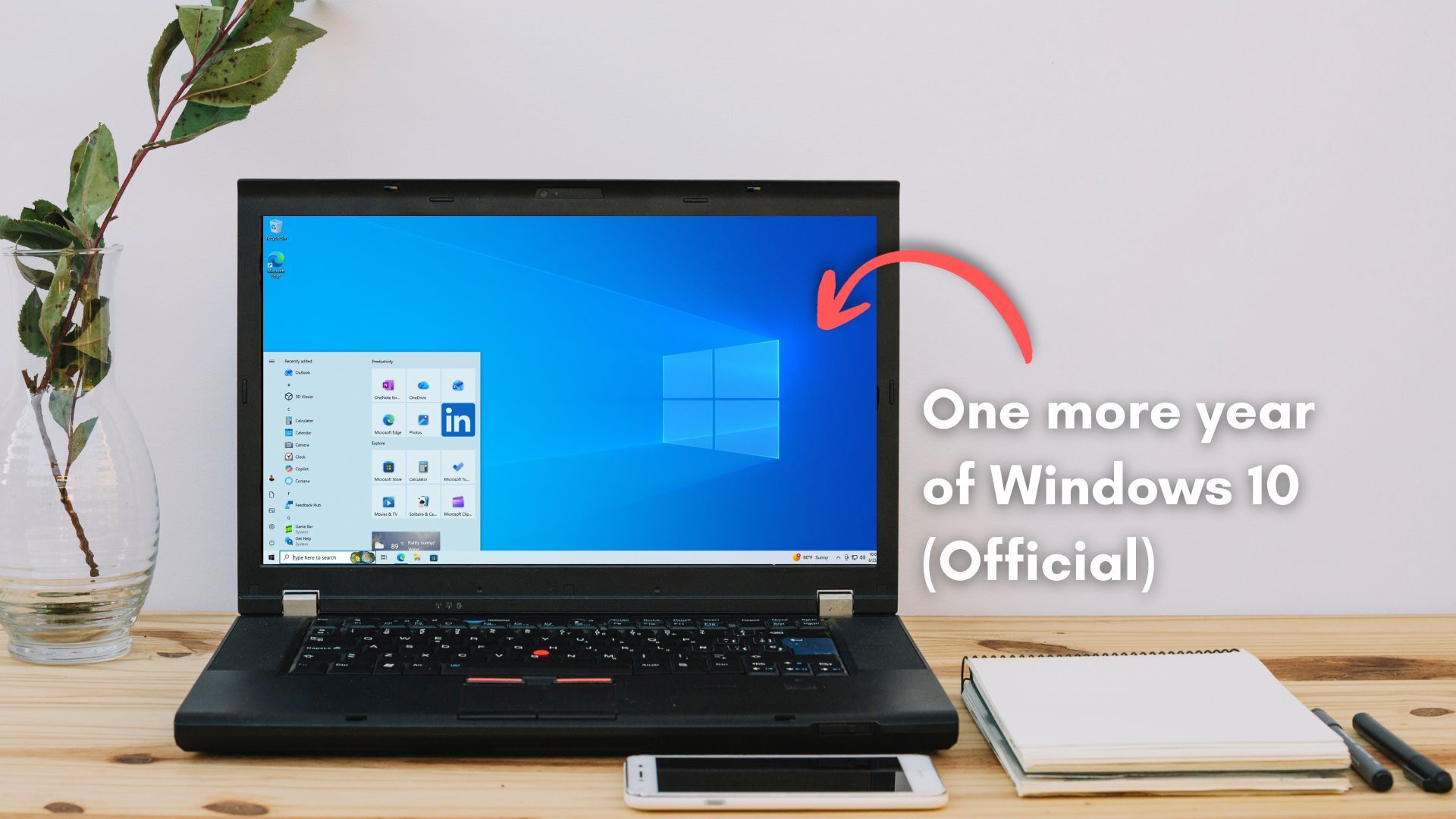
If you’re too lazy to switch to Linux like me, Windows 10 Enterprise IoT LTSC is supported until 2032 and free to download and permanently license..
As someone who is lazy, I find running Linux to be less work than fighting with Windows.
Linux you fight a bit when setting it up and then its like clockwork. With windows it’s easy to setup, but then it starts doing weird shit you never asked for and and undoes your changes making more work forever.
My brother in Christ, what are you talking about? Do you not install any software whatsoever? Do you not have a need to update it? Or maybe all your hardware works out of the box 100% of time? My setup full amd, pretty fresh (am5 + rdna3), but it still a gamble each time I’m launching new game on steam. Will it work out of the box? Will proton-cachyos just bork itself (happened week ago, still not sure what caused it, maybe mangohud)? Will my whole desktop just crash cause of bug in driver that specific to one extension in vulkan? Or maybe I simply won’t be able to see my desktop at all cause amd with LG tv is a bad combination? It’s a shitshow.
It literally does this for you.
It doesn’t, it updates package if you agreed to update. It looks like you misunderstand what I said. I meant that any update can bring issues, it’s not “I installed and it works forever”
Not my experience.
“works on my machine”
Linux isn’t hard to set up anymore
Yeah, it was way less friction than I was expecting. It went smoother than some windows updates do (specifically the ones where they just reset settings to their shitty defaults).
Basic install yes, getting all your favourite apps and network connectivity…well, it’s much better than before, but still a short term pain.
I dunno, maybe I’ve just had good luck when it comes to hardware compatibility, but networking has always just worked for me. Along with audio and pretty much everything else.
Getting the apps you want installed is the same thing you’d have to go through with a fresh Windows install too. And I think Linux package management is way easier once you do the initial install. So I would argue that Linux is actually better in that regard.
No. Network connectivity just works unless you have some really esoteric hardware. I just installed a USB wifi ax 5400, total overkill for my telco router. CachyOS just took it in stride. Most apps, including many Window apps install painlessly. The moment Linux sees an .exe, it launches wine and installs the app.
Right now it’s mostly “just works” most people use office and internet apps anyway.
I had to plug in ethernet to the wifi drivers updated. Map a nas drive with the correct invocation in /etc/fstab. Getting camilladsp to work in multichannel 5.1 setup, getting my fricken nvidia drivers working, getting star citizen to work (still doesn’t), getting roon to work in bottles, adding the right repos even for various software.
Linux has come a long way. It is mostly consumer grade now, but still has some refinement.
What flavor of Linux?
I have many. 4 Rpi4 with PiOS, Riopeee, Moode, an HTPC with mint, a laptop with mint, a gaming PC with Bazite, another laptop with arch and an old PC with Debian stable.
My favourites are Bazite and Mint.
This is part of why I like Mint … it’s like 5 clicks to install
Mint is wonderful though I am considering switching back to a system with GNOME instead of Cinnamon because the screen reader works better under GNOME.
I am thinking about giving NixOS another shot or at least going with an immutable system, but Mint is a great place to start your Linux journey, and hell, it’s a great place to end your Linux journey if you don’t give a shit about computers and just want the damn thing to work reliably.
I spent about 2 months on mint with cinnamon, switched to cachy with plasma on my main desktop a few weeks ago and honestly it’s been working a lot better. Still have to poke a few things but overall I’ve got everything I’m regularly using going fine now.
Yeah, that’s the thing - I remember installing Slackware 1.0 from floppies back in the day.
These days, I’ve had my enthusiasm for technology crushed out if me, and I just want to get stuff done with as little “computer” in the way as possible
That hasn’t happened for me, but it has shifted from desktop to mobile for me, because, for me, desktop Linux is just about fucking perfect, and I see no need to change it. But, I do very much enjoy playing around with different things like lineage OS, and possibly post-market OS on phones.
I’d say my phone is my primary computing device so it’s what I like to mess with and the laptop is just a system that I need to work whenever I pick it up and therefore it gets Linux installed on it and doesn’t get many changes.
I would say my laptop is more like an appliance similar to my toaster. When I turn on my toaster, I expect it to work. And it’s the same thing with my laptop for the little bit that I need it. And my phone is the device that I mess with, primarily.
Meanwhile, I wouldn’t mess with my phone because I need it for stupid things like banking :-/
Last year I did give Haiku a crack, so I’m not completely out of enthusiasm for OS fiddling … but it’s the exception not the rule
I do my banking on my web browser, and when my previous bank tried to force me to use their app, that’s why they are my previous bank and not my current bank, because I told them they could go fuck themselves.
I refuse to put their proprietary spyware app on my device.
I refuse to even have a proprietary app store on my device. More or less install your proprietary app.
I like Mint. Got two boxes. 1 bazzite, one Debian and one Arch for shitz and giggles.
Mint comes in debian, arch and bazzite?
Uh. No. I have 2 mint boxes. 1 bazzite one debian and one arch… heh.
It comes in Debian … not the others
As someone who just installed bazzite today and fucked around with Mint a couple months ago this is very much true. Kinda reminds me of bashing Windows 98 into doing what I wanted.
I installed Bazzite, and I had a bit of trouble!
… Because I pulled out the USB halfway through the install! Like the world’s biggest dumbass! Couldn’t boot the computer at all! Oh no!
Then I stared at what I’d done for a while, sighed, rebooted and started again.
And it was easy as piss. Bazzite 10/10 for me.
There’s no struggle free OS, every OS has operations and processes that will need more detailed investigation, and hence read as “fighting with the operating system”.
No design is intuitive to everyone, all the time, and in all situations. I’m sure Linux is fine, but let’s be real, you know what I mean.
I’m glad that Linux is more intuitive to you than Windows. Good job finding it, and setting it all up 👍
that’s not really true there’s no struggles normally with an OS like Linux Mint.
Selecting a username and password is within most peoples grasp. Click an icon on the dock and you’re away
The struggle is the apps for most people, where’s Chrome? (when FF is right there on the dock), where’s Photoshop etc etc
I switched to Kubuntu on my laptop. There’s definitely a learning curve but it’s been a lot easier than in 09 when I last tried Linux.
Honestly, a lot of desktop environments are designed to feel very similar to Windows. I tried Mint on a laptop and started liking it right away. The setup was put it on a flash drive, and run the installer. It took 20 minutes to nuke Windows.
My OS struggles come from trying to get windows-specific DAWs and CAD Software to work, which will hopefully come around as more people switch to Linux. I have some alternatives that I’m playing with right now.
The part that takes energy and effort is making the switch.
I’m really familiar with Linux. I’ve been using it on and off since the days of Slackware. My work computer was Linux-only for several years.
But, even with that, it took weird driver issues with my GPU, combined with the impending death of Windows 10, combined with the ridiculous heavy handed Copilot BS on Windows to finally convince me to switch my main desktop PC to Linux.
It was just the momentum that was so hard to overcome. I knew what worked in Windows, and I knew what didn’t. I had already found and installed all the programs I needed. My settings were all how I liked them. I knew the keyboard shortcuts. With Linux I didn’t know what would work or what wouldn’t. With Linux, there were a lot of things I’d need to install and set up, and I knew that was going to take some effort. But, worst were the unknown unknowns. I didn’t know what was going to cause me problems, and didn’t know if they were things I could resolve in a couple of hours or if they’d take weeks.
I’m glad I made the switch, and the overall maintenance load is much lower than it was in Windows. The frustration factor is 10x better. But, I did have to make a real effort to make the switch. There were a few weeks where it was pretty frustrating.
How tough was the DAW to get working? FL is basically the thing keeping me on Windows at this point
Fyi, Reaper and Bitwig both have excellent, native Linux support. If you’re willing to re-learn a DAW, both of those are great choices. Reaper is by far the best mixing & mastering DAW out there, IMHO. Bitwig is great for composition and has awesome, intuitive modulation features, as well as great stock plugins and MPE support.
Might not be a bad idea to start learning on a separate device though, so you’ll be ready when 2032 hits.
(That’s my current setup)
This is my plan. Going to do my first Linux install on my old laptop to learn and then go full Linux once I feel I’ve got a good idea of what I’m doing.
Can’t risk screwing it up as I’m self employed and need everything to work
Most of us (normal people) are on Windows 11 and happy with it. The majority of those that aren’t are holding out due to the hardware requirements. -Shock to conspiracy theorists.
I’m on Windows 11 for work and am not happy about it. They took away my 2-level taskbar, among other regressions.
Thank you MicroSlop Bot 8000. Nice comment
Just dual boot. No need for a separate device.
You won’t do this on corporate machines, but converting a Win install into an IoT release and generating a key for it is like a couple of clicks and a reboot.
But, but - the way massgrave is still accessible and not fought against makes you think Microsoft wants the fluctuating users to keep on using their products and ecosystem even if they don’t pay the initial sticker price.
So if it’s at least slightly feasible for your workflow, it’s always better to switch and leave M$ behind.
P.S. I can be wrong, but IoT right now doesn’t shield oneself from installing copilot and other garbage, making this edition not better than others, you still need to debloat it.
a full year in here, with regular security updates. 11iot is still unmolested by microsoft shenanigans. nothing installed on it i didn’t put on myself, or didn’t come with the stripped-down windows, which isn’t much at all. there’s no store, so all the store-delivered shit is absent.
Probably leftovers since I switched to IoT from other ISOs.
I’m going to try Steam OS on one of my laptops. See what that’s like.
I suggest that you try Bazzite instead. As of now, SteamOS doesn’t support Nvidia.
Oh I’m poor my laptop has AMD.
AMD is better than NVidia anyway
Bazzite also has a better package management system. SteamOS is meant for gaming almost exclusively, whereas Bazzite is meant for both.
After using Bazzite, I’m convinced that image based distros are the future for end users. Need to install an app? Flatpak. Need to install command line? Homebrew.
It all installs in user space. And Flatpak at least uses an effective sandbox system.
Distros that maintain their own package spaces are duplicating a. lot. of work.
The downside of Flatpak is the disk space usage. But that doesn’t matter as much to me as it used to.
I ran SteamOS for a while before they made the recent announcement. It works great. Previously, just had to tell it to always boot in Desktop mode.
I can chime in for Bazzite. It’s imperfect, but I’ve blown up my fair share of aliens and they make playing your games on Linux really easy compared to anything else I’ve used. I can even stream the game from my desktop to a laptop in my bedroom via sunshine/moonlight which Bazzite helps you install as SteamLink doesn’t play nice with Bazzite.
Upvote for Bazzite - the caveat being how much support the distro gets and how long it lives. That said it turned a truly piece of crap all in one hp to something that was fun in about 30 minutes. it’s a good gaming OS but I wouldn’t use it as my daily driver.
I don’t think steamos is a great choice for a general purpose OS…yet
Probably not but maybe I’ll be able to play a game. Old laptop. Old Games. New OS. See what happens.
Both bazzite and CachyOS are built for computers and will likely work better for a laptop than SteamOS. And they both have gaming focused builds. I haven’t tried Bazzite in a while, but CachyOS has easy to understand instructions on how to install their gaming package.
I daily-drive Bazzite on multiple machines. It’s excellent, even on machines I rarely use for games.
If you use the console version of Bazzite (which I use on a HTPC), it runs Steam in console mode on boot. I assume that’s what SteamOS does, it seems like they designed that mode to feel identical to using SteamOS on a SteamDeck. That makes it easy to launch games etc. without needing a keyboard and mouse. Then you can go to desktop mode when you need it.
The desktop version of Bazzite is just a Linux desktop that starts Steam on boot so that it’s running in the background. It has some gaming-related things installed but if you want to use it as a machine to write software it’s basically ready to go.
Can confirm Bazzite is incredibly easy to install, and all my steam games work without any tweaking at all so far except Tropico 6. And I haven’t even tried to fix that.
(Windows was being a dick fuck, and life means I don’t have brainspace right now to fuck around with my laptop, so no-tweaking was the goal. Bazzite has delivered that.)
I’ve been using Linux since it was a diskette install (Slackware). I’ve used all main Linux flavors over the years, and for the last few years I’ve lived in Mint, because lazy. I’m now on CachyOS. It fucking rocks. Like wow level.
I started with Ubuntu version 10.10 and currently my computer runs Linux Mint Debian 7.
Though I am seriously considering giving NixOS another spin. I gave it a try once, and it didn’t quite work for me, but I think I might try it again. I am getting pretty convinced that immutability is the future because then the operating system developer can work on the operating system and the user space can focus on the user space. And user space applications can’t do things to the operating system that would screw it up and bork it. I’m primarily thinking of when an application gets uninstalled and then uninstalls some shared library that’s needed by another application and fucks it up.
I know immutable systems and self-contained applications require more disk space, but that’s a worthy sacrifice in my opinion. Disk space is pretty damn cheap.
AI says disk space is no longer to be considered cheap ;)
Oh. Fuck AI.
For now, yes. But it’s a supply and demand curve, so either the demand from AI is going to crash as the AI boom crashes, or the amount of supply will increase to satisfy the demand. I am suspecting the AI bubble will crash before the supply side catches up.
Appreciate the suggestions, probs check them out afterwards. I just wanna do it for the shits n gigs
Totally understand that. I have tried a bunch of different Linux builds to see what I like. So certainly won’t begrudge your explorations. And I haven’t tried SteamOS on any of my machines because it didn’t have a desktop build when I was last playing around with new builds. CachyOS has been great though. Everything works well on my machine, and its been easy to use as a daily driver.
11 iot is also available, and is void of nearly everything people hate about 11. it’s good to 2035.
I have no intentions of going back to Ravenholm anytime soon.
Regular Windows, with Chris Titus’ decrapifier after install will leave you with a pretty streamlined Windows without the bullshit.
massgrave can activate 3 years ESU on regular Enterprise for people who want things IoT LTSC is missing, like WMR. I’ve got Enterprise alongside Bazzite and when the updates run out I’ll either switch to IoT LTSC or nuke Windows altogether.
Same, I’ve got a headset on WMR and it’s basically trash if I have to update to Win 11.
you guys might be interested in this, then:
https://github.com/mbucchia/Oasis-Driver-for-Windows-Mixed-Reality/wiki
Chiming in to say oasis not only made my WMR kit work without Mixed Reality Portal Garbage, but it’s more responsive and tracks better with it. It’s incredible. I’m on 10 LTSC IoT which Oasis’s doesn’t technically support and it works flawlessly. Amazing.
I love you, Oasis dev.
This is false. The latter is, anyway. I am running 11 IoT LTSC on my main gaming rig and WMR is still supported. The key is, you cannot install a version any newer than 23H2. There are third party tools available that will block Windows from attempting to “upgrade” you to a new feature release which breaks WMR. My Reverb G2 is still working fine.
…For now. WMR support on a fresh install is still reliant on a Windows Store download which Microsoft will probably cease providing at some point if they haven’t already.
You are the champ for pointing people this direction but eventually like Adobe they will close the holes.
Yes, but it is pointless like whack a mole.
Doing the Lord’s work!